Alachua County GIS Newsletter
2026 Winter Edition
GIS TIPS AND HINTS
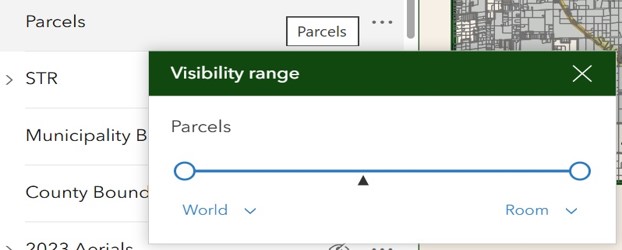
Map Genius tip: You may notice when you start zooming out in the map window that your layer will turn off. The defaults are set up in this way to help with processing. There is an option to turn the layer you are working with to the full extent.
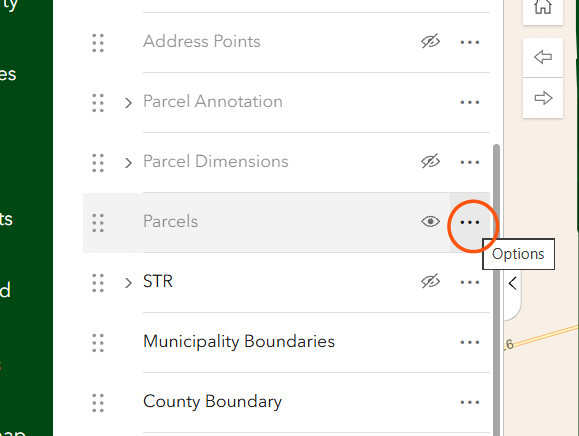
Under the Layer tab, find the layer you are working with. You will see 3 dots on the right of the layer name, click on the dots and a drop menu will appear.
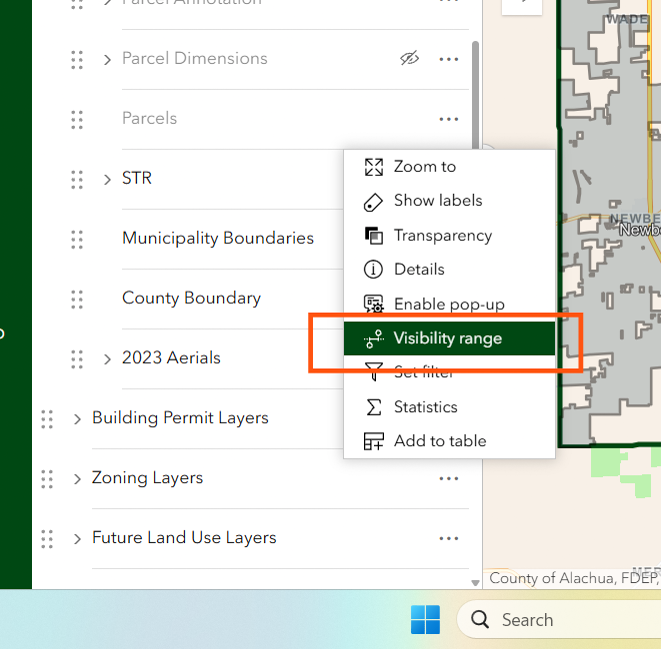
Choose Visibility range, you will see the range bar, move the left circle all the way to the left and the label below will say World. You can then see your layer in the map window at any zoom level.